
Keep natural pauses
A pause can give an important point room to land. Restore it when the shorter version feels rushed.
TIGHTENAI FOR IPHONE
Record your thoughts without starting over after every mistake. TightenAI creates a first edit by looking for long pauses, false starts, filler words, and repeated takes. You decide what stays.
Cloud AI processing requires a subscription. Review the plan and trial terms before purchase.
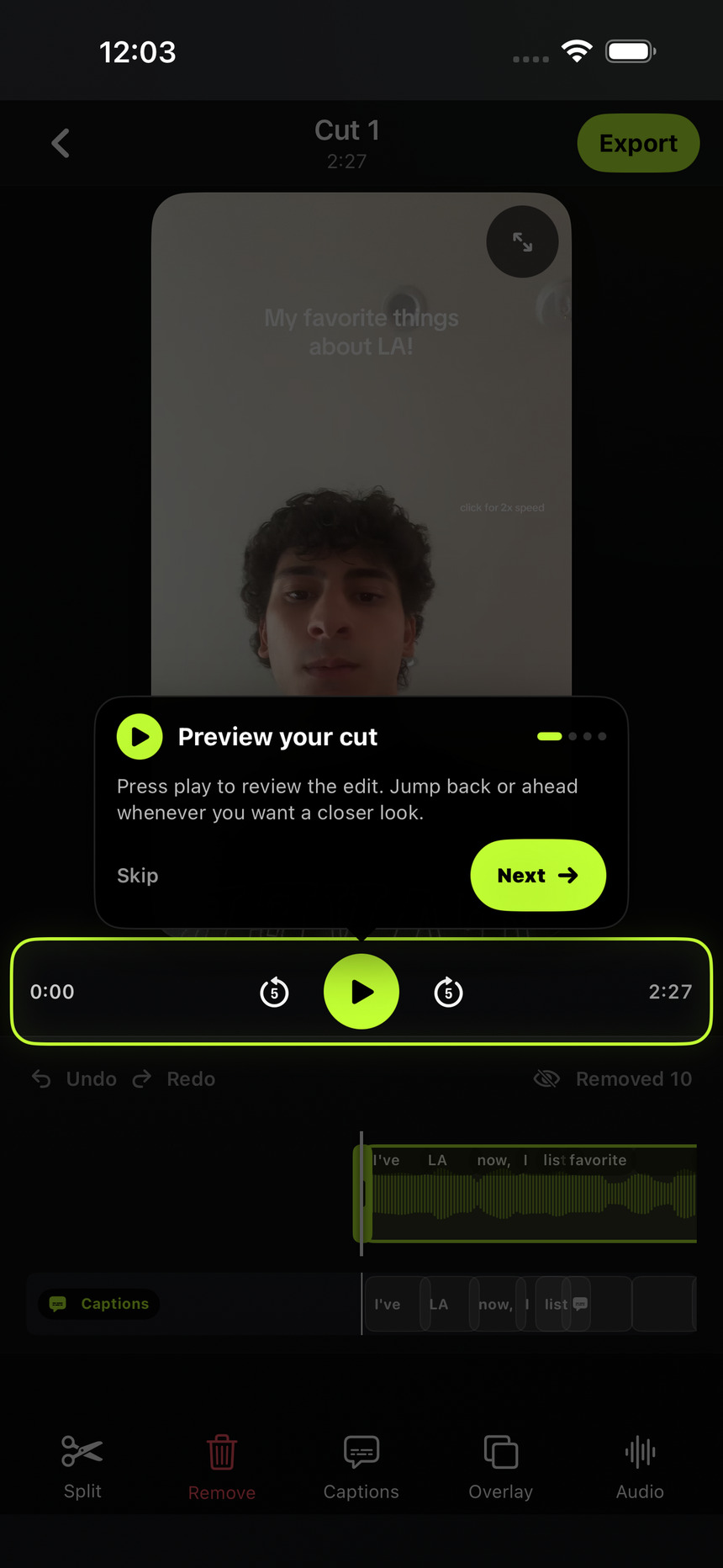
English-language product demos, UGC videos, tutorials, and talking-head recordings often include several attempts at the same line. Automatic cleanup helps with that repetitive first pass. It is not a replacement for checking whether the finished story makes sense.
HOW IT WORKS
Choose your footage on your iPhone or record in TightenAI. If one video uses several source clips, combine them into a single cut so you can review the result together.
The app uploads a temporary processing copy and proposes cuts. Processing time depends on the footage and connection. Keep the app open until the upload finishes.
Play through the whole result. Open Removed footage to review proposed removals and restore anything you want to keep. Trim or split the remaining clips, then add captions and export.
BEFORE YOU POST
A pause can give an important point room to land. Restore it when the shorter version feels rushed.
Listen to the words on either side of a cut. Make sure the sentence, product detail, and meaning still match what you intended.
Two similar lines can contain different facts. Check the chosen take and restore an alternative if it tells the story better.
No automatic edit should be treated as perfect. TightenAI looks for unnecessary filler, pauses, and retakes, but some may remain and some proposed cuts may need adjusting. Review the result before posting.
Yes. Open Removed footage in the editor to review a removed section's timing and restore it. Automatic cuts are editable decisions, not changes to your original recording.
No. TightenAI also analyzes the spoken content to look for false starts and repeated takes. That is why checking the meaning of the complete edited video is important.
A subscription is required for cloud AI processing. Plans include video-edit allowances. See the current plans and trial terms before you subscribe.
Choose your plan on the website, then sign in with the same account in the iPhone app.
See plans and trial detailsAlready subscribed? Get the iPhone app ↗